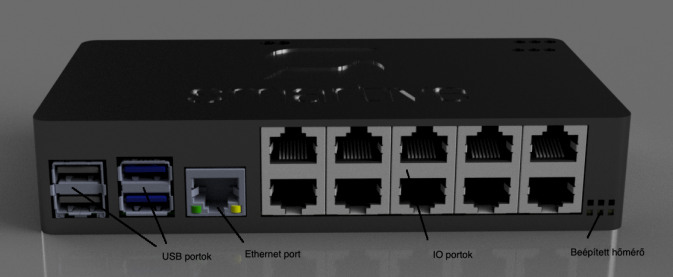
Troubleshooting the central unit
If the Smartive central unit is unreachable or is not working correctly, the steps below walk through diagnosing the most common faults in order.
Restarting the server
If the server is reachable from the app, a restart can be started from the last menu item of Settings. If it is not reachable, de-energize the unit, then power it again.
Checking the LEDs
Two indicator LEDs on the central unit help check the status — see their meaning in the table below.
Checking the router
After a restart, check in the router settings whether the server is connected to the network and what its IP address is. If it is not connected, check the Ethernet cable connection.
LED status indications
| LED | Meaning |
|---|---|
| Red | The unit is powered. |
| Flickering green | Indicates SD card activity. If it is continuously on or not on at all, and the system does not boot, the SD card may be faulty. In that case a new SD card is needed — see the New SD card page. |
If the system does not see the modules
Check that the expansion cable is properly connected to the central unit. The modules connect in a daisy chain:
Central unit (Extender port RJ45) → Module 1 (Extender port 1) → Module 1 (Extender port 2) → ...
- Every module received a unique jumper address (no two identical addresses on the bus).
- The RJ45 extender cables are firmly connected at both ends.
- The first module in the chain connects directly to the central unit extender port.