Shutter
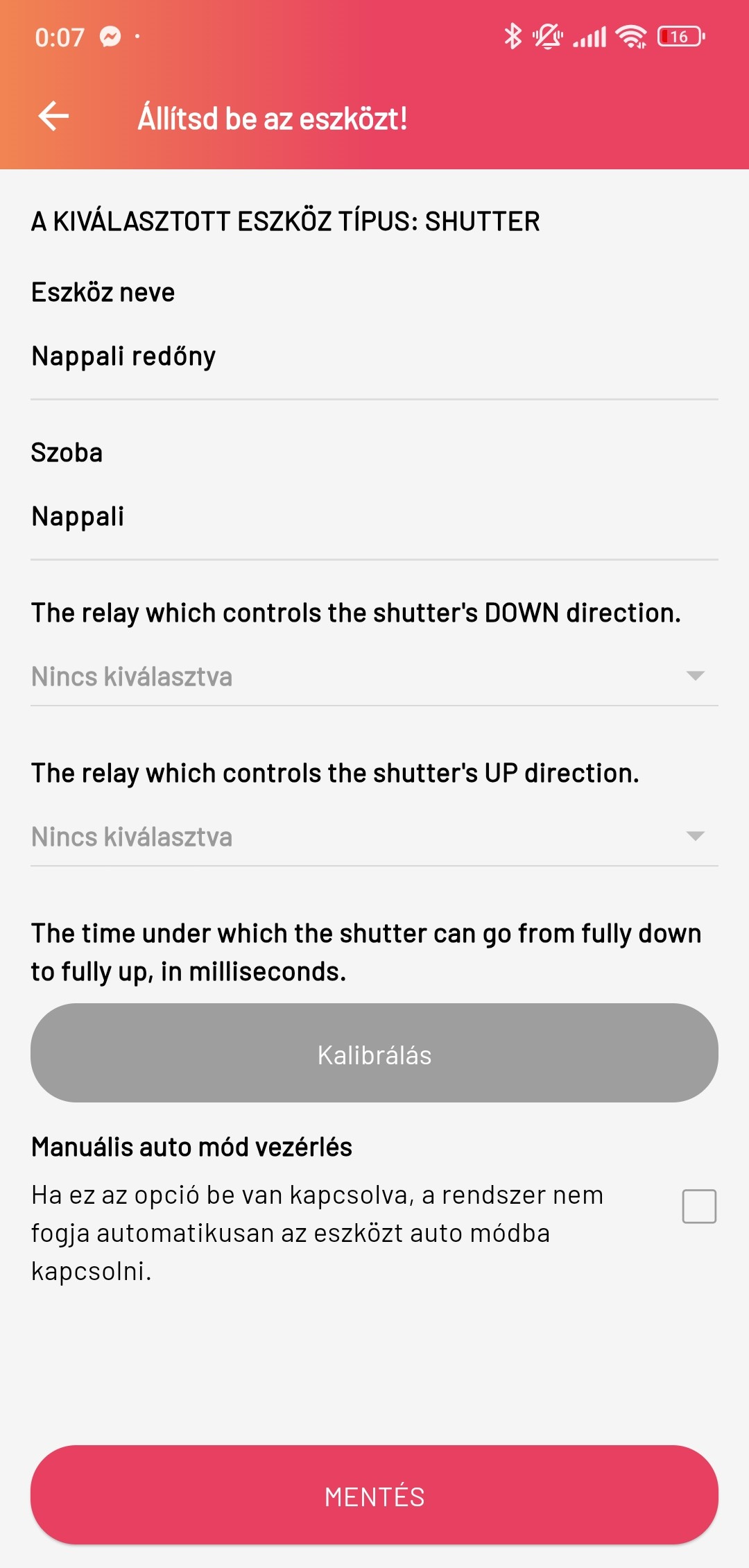
The Smartive app can manage the smart shutters in our home. Shutters must be added to the given room as a New device. In the device settings we can set the device name, the room it belongs to (by default the room we want to add it to). We must select two relays, one driving downward motion, the other upward. Below these there is a Calibration button, which sets the appropriate time for the relays to operate, as well as selecting Auto mode.
Possible fault
If the app shows that the shutter is fully down, at 100%, but in reality it has stuck (e.g. only at 80%), then assuming the shutter is well calibrated in its settings, on the Dashboard by long-pressing the shutter up or down button we can force the shutter to go beyond 0% or 100%, thus correcting it. Possible causes:
- The shutter was not configured completely correctly
- It can happen that the shutter physically goes down or up with difficulty, jerkily, and then it may reach its position more slowly or faster than it was calibrated in the app.
- This can happen during a power outage if the server could not save the shutter position.