Subscriptions
Managing subscriptions in the Smartive app lets users reach different services and features.
Two kinds of subscription are available:
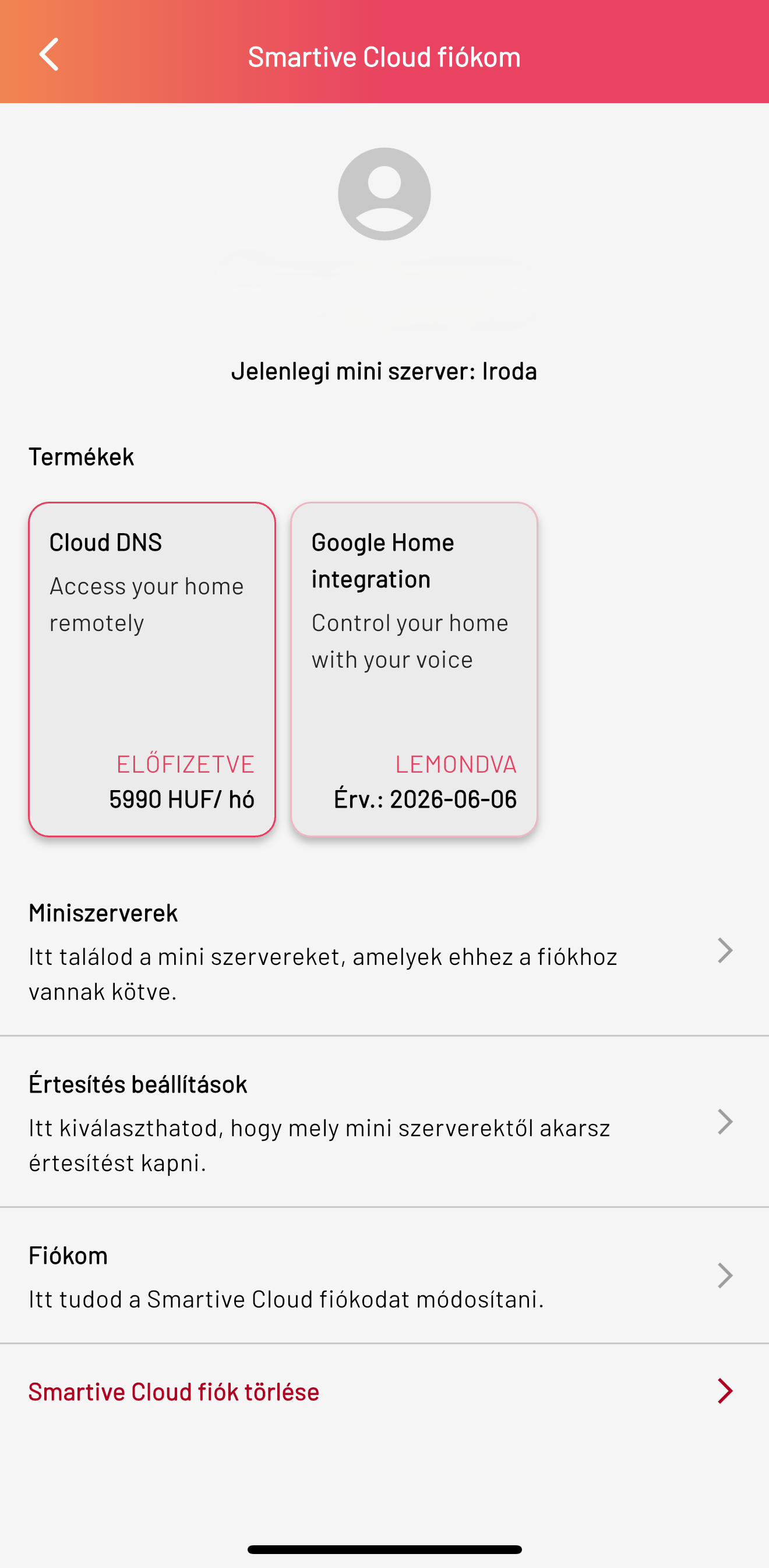
- Cloud DNS: This subscription lets the Smartive app provide remote access to the central unit, so you can reach the system from anywhere. Without it the system is only reachable on the local network.
- Google Home Integration: This subscription lets the Smartive system integrate with the Google Home ecosystem, so you can also control devices with voice.
Subscriptions are available in the My Smartive Cloud account menu, which you can reach from the top menu bar of the Dashboard.
Here you can see your active subscriptions, as well as the miniservers in the system, notification settings and your own Smartive Cloud account details, and you can also delete your Smartive Cloud account.
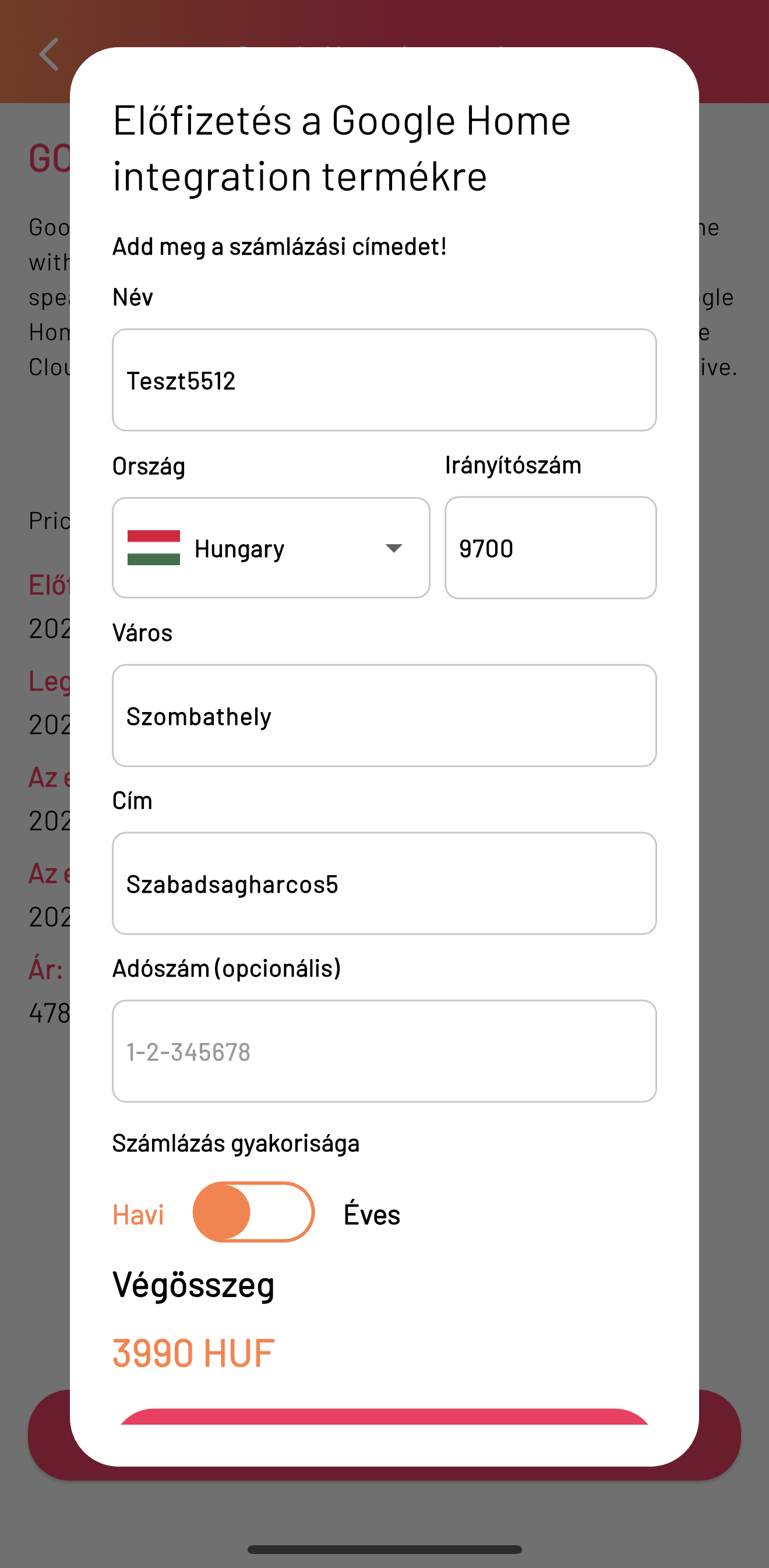
To subscribe to one of them, after tapping the relevant subscription a window appears where you can do this by entering billing details (Name, Country, Postcode, City, Address, Tax number) and selecting the billing frequency ( Monthly, Yearly). The system calculates the amount due and you can finalize the subscription by pressing the OK button.
After your subscription is activated, if you tap the subscription you can see your subscription details, such as
- Subscription start
- Date of last billing
- Date of subscription cancellation
- Subscription validity date
- Subscription type and price
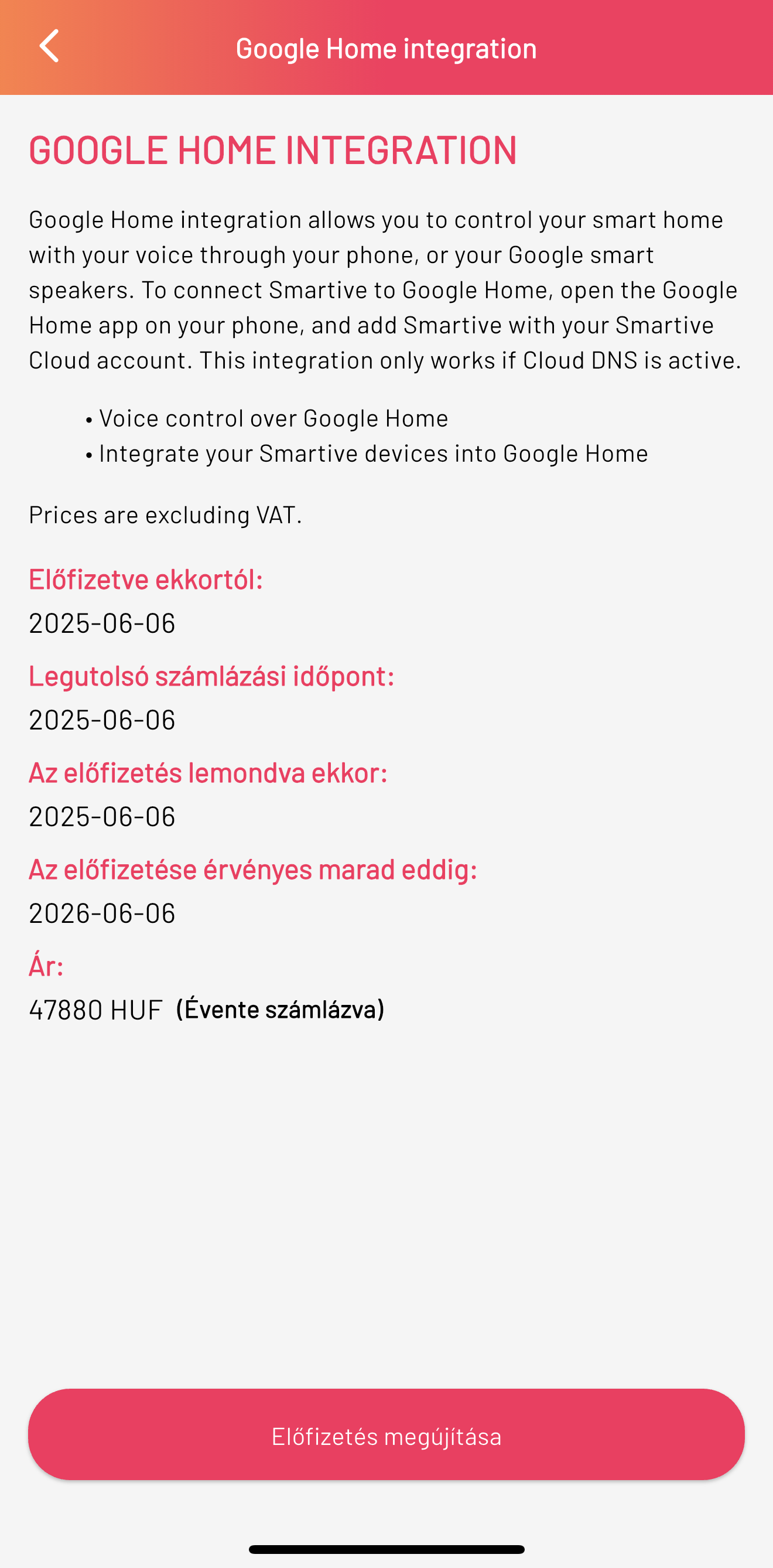
{primary} If your subscription has expired, you can subscribe again as described above. If you want to cancel your active subscription, you can do so by tapping the Cancel subscription button at the bottom of the screen. If you have cancelled your subscription but it is still active, the button will appear as Renew subscription, and tapping it lets you subscribe again.